This blog post discusses Xamarin's current plans to support the 32 and 64 bit frameworks in our products.
When we first created the C# bridge to iOS with MonoTouch, we mapped the data types from Objective-C to their equivalent data types in C#. Since C# does not have an equivalent to "typedef" we also mapped type definitions into their underlying data types.
This means that we mapped C types like int
to System.Int32 (short: int)
float to System.Single
(short: float). This is because on .NET
the int data type is defined to be a 32 bit
integer, and long is always a 64 bit integer.
We also chose to map things like CGRect to RectangleF
at this point. But most importantly, we mapped things like
NSInteger as int
and CGFloat to float,
since NSInteger was a 32 bit value
and CGFloat was a 32 bit value. We later did the
same work for the Mac and
we continued doing these mappings.
We were living in a 32-bit world.
The 64 bit version of OSX had
defined NSInteger and CGFloat to be
64 bit values, changing the assumptions that we had made.
The challenge to support 64 bits was that we would need to change the public API on our Mac APIs, stuff like:
class Xxx {
	[Export ("getRowCount")]
	public int GetRowCount () {...}
}
Would become:
class Xxx {
	[Export ("getRowCount")]
	public long GetRowCount () {...}
}
The above is problematic for two reasons. We would need to audit all of our APIs to do the proper type mapping and we would break source code compatibility, with code like this:
var foo = new Xxx ();
int count = foo.GetRowCount ();

// oops, can not cast a long into an int.
When we combined source code breakage with the fact that Apple had a 32-bit compatibility story and we had some legacy libraries that depended on 32-bit only APIs meant that we were in no rush to move to a 64-bit world.
OSX 64 bit frameworks
With Mountain Lion, Apple started to ship a handful of their new frameworks only as 64-bit frameworks. This means that for the first time, MonoMac was not able to provide bindings to some frameworks.
At this point, we realized that we had to get out of our 32-bit comfort zone. But we still needed to support 32-bits, since iOS was a 32-bit only API and OSX was turning into a 64-bit only API.
We needed some way of sharing code.
At this point we had a number of options in our plate, to make a very long story short, we decided to do two things:
- Audit all of our APIs and annotate every use of
NSIntegerand provide tooling to ensure that we had both 32 and 64 bit APIs. This would allow us to produce both 32 and 64 bit bindings. - Build a tool to help Mac users migrate their applications and upgrade their uses of the narrower data types to the wider ones.
Our thinking was simple: every new Mac would be 64-bit capable. So this means that we could support the old 32 bit API for existing Mac users, but new APIs would require the source code to be upgraded to 64-bits, never to look back again.
There was little incentive to expand support for 32-bit only APis on the Mac. The world was going 64.
We were executing on this process when Apple introduced the iPhone5s with a 64 bit processor.
iOS goes 64 bit
The iPhone5s forced us to revisit our assumptions.
Apple introduced the 64-bit iPhone5s, but also introduced the iPhone5c which is a 32-bit processor.
This means that developers need to be able to target 32 bits for at least some five years.
We had two choices with the old strategy with regards to iOS: either stay in the 32 bit world for the next five years or force users to maintain two codebases (one for 32 and one for 64). Neither option was attractive.
So we resorted to a more sophisticated approach that we had originally dismissed.
Transparently Supporting 32 and 64 bit Code
Our goals shifted. While we could ask Mac users to do a one-time switch, we could not ask that from our iOS users.
We needed to support both 32 and 64 bit code from a single codebase, even if this required some magic beyond bindings. Compiler, linker and tooling would have to come together.
We are now going to keep our existing 32 bit APIs --for the sake of backwards compatibility for all of our iOS and Mac users-- and also introduce new APIs that are 32/64 bit ready.
We are doing this by introducing a few new data types:
nint, nuint and nfloat
which are 32-bit wide on 32 bit architectures, and 64-bit wide
on 64-bit architectures.
We would also move
from RectangleF, SizeF
and PointF
to CGRect, CGSize
and CGPoint which would be defined not in terms
of the C# float data type, but in terms
of nfloat.
These data types will live in the System
namespace inside the Xamarin.iOS.dll
and Xamarin.Mac.dll.
These are defined roughly like this:
struct nint {
#if 64
	long value;
#else
	int value;
#endif
}
By defining these are plain structs, we ensure that any code using these data types is legal C#, compatible with Microsoft's C#.
But at runtime, depending on which platform you are running, you will get either 32 or 64 values.
This means that all of the Objective-C APIs
using NSInteger that we originally had mapped
to int will now take an nint but
also that users can choose to stay on a 32-bit world, or have
code that automatically compiles to both 32 and 64 bit at the
same time.
This means that the original GetRowCount example would now be written like this:
class Xxx {
	[Export ("getRowCount")]
	public nint GetRowCount () {...}
}

// ...

var foo = new Xxx ();
nint count = foo.GetRowCount ();
In the above case, count will be a 32 bit
value on 32 bit systems and 64 on 64 bit systems.
We added implicit and explicit operator conversions from and to the underlying data types. We follow the .NET Framework Design Guidelines for implicit and explicit operators, with an added twist: we only consider implicit conversions when there would be no data loss in the 32 and the 64 bit worlds. Otherwise you must use explicit conversions, like this:
public struct nint {
    // Implicit conversions
    static implicit operator nint  (Int32 v);
    static implicit operator Int64 (nint v);

    // Explicit conversions
    static explicit operator Int32  (nint v);
    static explicit operator nint   (Int64 v);
    static explicit operator UInt32 (nint v);
    static explicit operator UInt64 (nint v);

    // Explicit IntPtr conversions
    static explicit operator IntPtr (nint v);
    static explicit operator nint   (IntPtr v);
    static explicit operator nint   (IntPtr v);
}
This means that you can always go from an nint
to a C# long. But going from
a nint to an int requires a cast as
there would be data loss in the case where the nint is a 64
bit value.
For example:
// valid, implicit conversion:
long count = foo.GetRowCount ();

// error:
int count = foo.GetRowCount ();

// use an explicit cast, valid:
int count = (int) foo.GetRowCount ();
Astute readers, or those familiar with .NET, will notice that:
int Add (int a, int b)
{
	return a+b;
}

int Add (nint a, nint b)
{
	return a+b;
}
Will compile down to drastically different IL.
The first uses native ECMA IL instructions to perform the
addition, while the second compiles to a call op_Addition
We have taught our VM to understand these new data types
and treat them in the same way that we would treat a native
type. This means that there is no performance difference
between the use of int vs nint.
The call op_Addition ends up being the same as
the native ECMA CIL add instructions. The IL might look
scarier, but the native code is identical.
We chose the names nint, nuint
over the built-in IntPtr
and UIntPtr, because they felt natural "native
integers" as opposed to the cultural association
that IntPtr has with pointer or a native token.
Additionally, we did not have the equivalent native floating
point type.
We chose to stay away from using the
names NSInteger and CGFloat for a
couple of reasons: the functionality is general enough that it
might be worth using in Mono in places beyond Mac and iOS and
because it feels like these are real VM supported types as
opposed to some type definition or alias. In an ideal world,
these would eventually be part of the C# standard.
What will the world look like?
Users that are happy living in the pure 32 bit world will
get to keep using their existing assemblies and project types
(monotouch.dll and MonoMac.dll/XamMac.dll).
Users that want to adopt new 64-bit only APIs, or want to
have their code automatically run on 32 or 64 depending on the
target CPU will use the new Xamarin.iOS.dll and
Xamarin.Mac.dll assemblies and a new project type that knows
how to build dual 32/64 binaries transparently.
One added benefit of this new design is that third party components and libraries will automatically be 32/64 bit ready.
We will also distribute the same tools that we used to upgrade from 32 to 32/64 to assist our users that want to migrate existing codebases to the new 32/64 bit world.

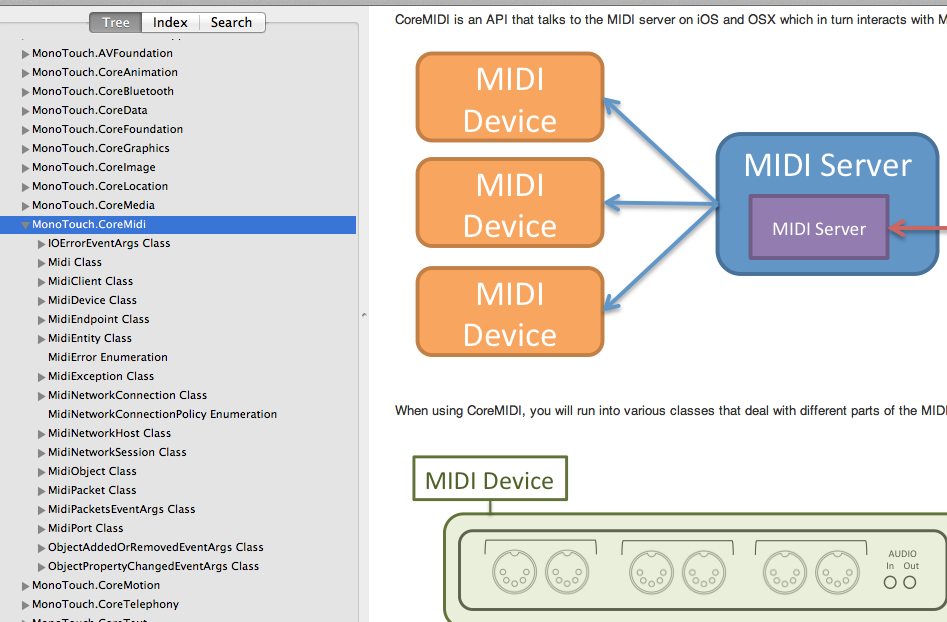
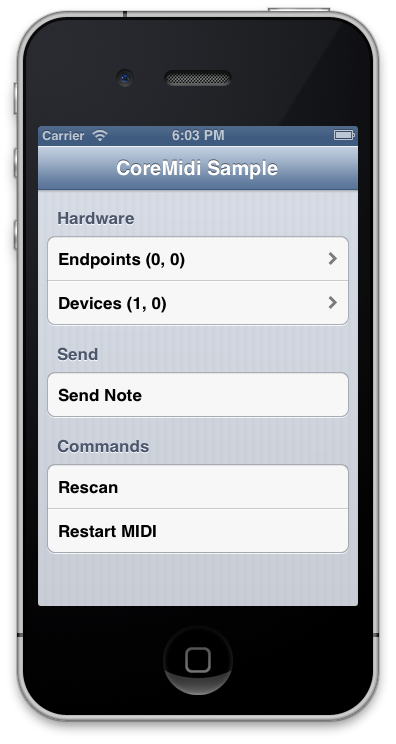 This new release of MonoTouch (and MonoMac) come
with our new CoreMidi bindings. In the same spirit of the
work that we did for AudioToolbox and other frameworks, we
created a C# bindings that follows the .NET framework
guidelines for the API.
This new release of MonoTouch (and MonoMac) come
with our new CoreMidi bindings. In the same spirit of the
work that we did for AudioToolbox and other frameworks, we
created a C# bindings that follows the .NET framework
guidelines for the API.